Free AI watermark removers: Gemini, Veo and images
Three removers, one for each kind of file: Gemini videos, Veo clips and Gemini images. They all run in your browser, so nothing is uploaded. Pick the one that matches your file.
Which watermark remover do I need?
Start from the file you have. The three removers run the same engine; each is tuned for its own kind of file.
- Videos
A video from Gemini, with the sparkle in the corner
Gemini Omni watermark remover
Finds the Gemini sparkle in a video and restores the real picture under it, frame by frame.
- MP4
- MOV
- WebM
- MKV
- Videos
A Veo clip, with the “Veo” text or the sparkle
Veo watermark remover
Removes the sparkle and the “Veo” text mark from Veo clips, wide or vertical, without losing quality.
- MP4
- MOV
- WebM
- MKV
- Photos
An image from Gemini, with the sparkle in the corner
Gemini photo watermark remover
Removes the Gemini sparkle from an image: fitted to your picture and reversed, with no blur.
- PNG
- JPG
- WebP
Examples, before and after
Move across a picture to compare the original with the result.
Gemini Omni watermark remover
The sparkle in the corner of a Gemini video is see-through, so the real picture is still there. It is found by its shape, measured in your file and undone in every frame. Nothing to draw.
- The real pixels come back, not a guess
- Steady in motion: no smudge, no flicker
- Whole folders at once, one ZIP out
 OriginalLogo removed
GeminiGlowing garden Veo watermark remover
A Veo clip can carry the sparkle, the “Veo” text mark, or both. Each one is found by itself and removed from every frame, and the clip keeps its size, frame rate, length and sound.
- Sparkle and Veo text mark, found by itself
- Wide and vertical clips alike
- Same size, frame rate, length and sound
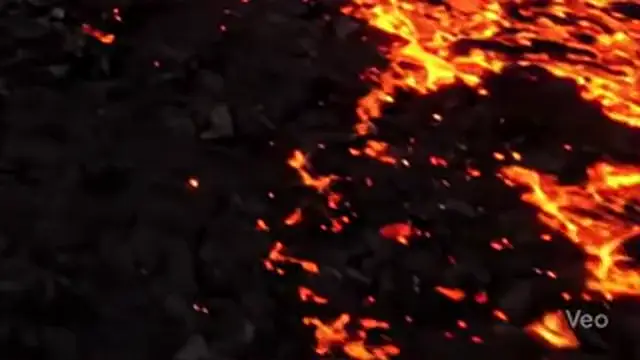 OriginalLogo removed
VeoLava field Gemini photo watermark remover
A photo has one frame only, so the sparkle’s known shape is fitted to your image (its place, size, softness and strength) and reversed on each colour channel. PNG stays lossless.
- Fitted to your image, not painted over
- PNG stays lossless, JPG stays high quality
- As many images as you like, one ZIP out
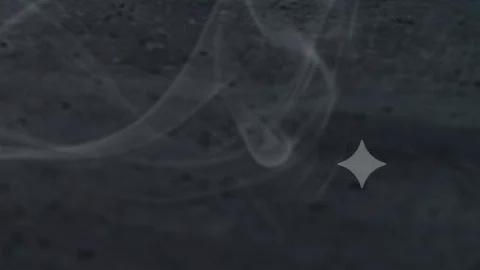 OriginalLogo removed
PhotoSneaker
What all three removers have in common
Your files stay on your device: videos and photos are opened, cleaned and saved by your browser, so there is no upload and no waiting in a queue. Size, frame rate and sound are kept. Use them on content you made or have the right to edit, and read how the removers work to know what to expect from each.
Questions about the tools
Which watermark remover should I use?
Use the Gemini Omni watermark remover for a Gemini video, the Veo watermark remover for a Veo clip (it removes the text mark and the sparkle), and the Gemini photo watermark remover for a Gemini image.
What is the difference between the three?
They run the same engine and find the logo by themselves. What differs is the file: the first two take videos (a video is cleaned frame by frame, and Veo clips can carry a text mark as well as the sparkle), and the third takes images (one picture, so the sparkle is fitted to it and reversed).
Why is the picture restored instead of covered up?
The sparkle is see-through, so the real picture is still in every frame, only blended with white. Reversing that blend gives the real pixels back, which a blur or a patch cannot. Where a mark is fully solid there is nothing to recover, and those few pixels are filled in from around them.
Are the tools free, and are my files uploaded?
All three tools are free with no sign-up and no limit on files. Everything runs in your browser, so your videos and images never leave your device.
Which videos and images can I use?
Videos: MP4, MOV, WebM and MKV. Images: PNG, JPG and WebP. A recent Chrome or Edge on a computer works best.
Can I remove any watermark?
Only from videos and images you made or have the right to edit. Read our guide to labelling AI content and our Terms.