Gemini video watermark removal for reels, ads and edits
You made a good clip with Gemini, and a small sparkle sits in its corner. ClearFrame removes it from every frame by restoring the picture under it, on your own device, for free.
- No upload
- Free, no sign-up
- Real pixels restored
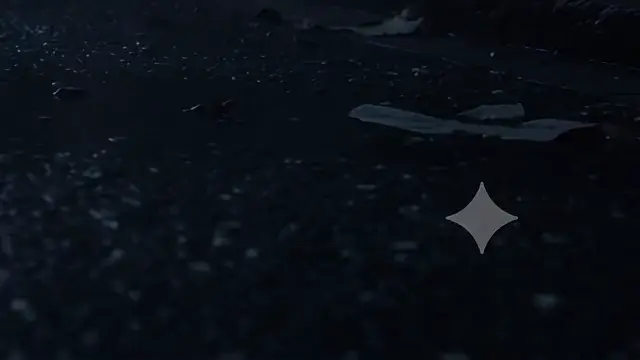 OriginalLogo removed
Real output, unedited. Drag the divider, or zoom in on the logo.
The problem with a corner logo
A clip with a logo in the corner looks unfinished once it leaves the Gemini app. On a phone screen the corner is also where platform buttons, captions and progress bars sit, so a logo there is easy to notice and hard to ignore.
It also gets in the way of editing. A logo that has to be hidden in every cut, resized for every aspect ratio and masked again when the clip is cropped is a chore that repeats for each video.
Why the sparkle can be taken out cleanly
The Gemini sparkle is white and see-through, always the same shape, and on a video it stays in the same place for the whole clip. A see-through logo does not delete what is under it: each pixel is a blend of the real picture and the logo’s white.
ClearFrame finds the sparkle by its shape, measures how strong the blend is in your file, and reverses it in every frame. The real picture comes back instead of being painted over, so a moving background stays sharp and nothing flickers.
What stays the same
The clip keeps its resolution, frame rate, length and sound. Because pixels change, the video is saved again as MP4; Maximum quality is the default and keeps the result very close to the original.
Wide, square and vertical clips all work, in MP4, MOV, WebM or MKV, in any codec your browser can decode.
Made for batches
If you make a handful of clips at a time, add the whole folder. They are cleaned one after another, each card shows its own progress and a close-up check, and you can download everything as a single ZIP.
Private by design
Nothing is uploaded. The video is read and written on your own device, so unreleased work, client footage and personal clips never travel anywhere, and there is no upload to wait for.
Who uses Gemini video watermark removal
Short-video creators
Turn a Gemini clip into a reel, short or story without a logo that every viewer sees first.
Advertisers and agencies
Test AI footage in ad concepts and client mock-ups with a clean frame.
Video editors
Bring clean generated clips into a timeline and cut them freely, with no logo to track and mask.
Educators and presenters
Use generated illustrations and scenes in lessons and slides without a distracting mark.
Small businesses
Make product teasers and announcements with AI clips that look finished.
Hobbyists and storytellers
Share your experiments in a clean form, and keep the originals for yourself.
Four steps to a clean Gemini video file
- 1
Add the clips
Drop in one video or a whole folder. Nothing is uploaded: the files are opened on your own device.
- 2
Let it find the logo
The mark is found and measured in each clip by itself. There is nothing to draw and nothing to set.
- 3
Check the close-ups
Each card shows the logo area before and after, so you can see the result before you save anything.
- 4
Download
Save each clip, or all of them as one ZIP.
Why not crop, blur or fill a Gemini video watermark?
| Way of removing it | ClearFrame | The alternative |
|---|---|---|
| Cropping the corner | Keeps the whole frame and the aspect ratio | Cuts the picture and changes the size |
| Blurring or a patch | Restores the real pixels | Leaves a soft spot that follows the logo |
| AI fill on every frame | The same fix in every frame | Can flicker, because each frame is guessed anew |
| Upload to a website | Stays on your device | Your video travels to a server |
Gemini video watermark remover: questions and answers
Which videos does this use case cover?
Videos made with Gemini that carry the four-pointed sparkle in the bottom-right corner. Veo clips have their own page, because they can also carry a “Veo” text mark.
Will the clip look the same after the sparkle is gone?
Everywhere except the logo area, yes. Resolution, frame rate, length and sound stay the same, and the area under the sparkle is restored rather than blurred.
Do I have to mark where the sparkle is?
No. It is found by itself. If a clip has no sparkle, you are told so and nothing is changed.
Can I clean vertical clips for reels and shorts?
Yes. Vertical, square and wide clips work the same way.
How long does a clip take?
It depends on your computer and on the clip’s length and resolution. Each card shows its own progress, and a batch works through the list while you do something else.
What do I get at the end?
An MP4 with the same size, frame rate, length and sound. Download clips one by one or all together as a ZIP.
Is it allowed to remove the watermark?
You are responsible for having the right to edit and publish the clip, and for following the rules of the platforms you post on, including AI labels. See the terms and the guide on labelling AI content.
Does it cost anything?
No. It is free, with no sign-up and no limit on how many clips you clean.
Guides to read next
- How to remove the Gemini watermark from a video, step by stepA step-by-step guide to removing the sparkle logo from Gemini and Veo videos without blurring, cropping or losing quality.
- How to remove watermarks from many videos at onceUse batch mode to clean a whole folder of AI videos and photos in one go, then download everything as a single ZIP.
- How to label AI-generated videos on YouTube, TikTok, Instagram and FacebookWhere to find the AI disclosure setting on each platform, when you need it, and why labelling protects your account.
More use cases: Veo videos · Gemini images · Gemini watermark remover