Remove the Veo mark from clips for reels, ads and films
A Veo clip can carry a sparkle, a “Veo” text mark, or both. ClearFrame finds each one by itself and removes it from every frame, on your own device, for free.
- No upload
- Free, no sign-up
- Real pixels restored
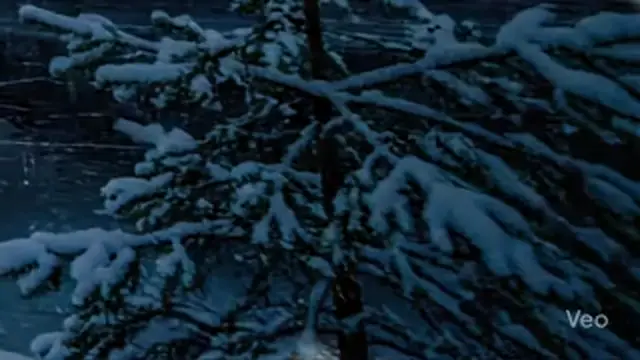 OriginalLogo removed
Real output, unedited. Drag the divider, or zoom in on the logo.
Two kinds of mark, one clip
Veo clips are not marked in just one way. Depending on where a clip was made, it can have the Gemini sparkle in a corner, a small “Veo” text mark, or both at the same time. A remover that only knows one of them leaves the other on screen.
ClearFrame looks for both. Each mark that is found is measured and removed on its own, so you do not need to know in advance which one your clip has.
How the text mark is found
A text mark does not move while the scene behind it does. That stillness gives it away: the part of the picture that stays put through the clip, with the shape of lettering, is the mark. It is traced from your own file, so it does not matter which size or position the mark has on your clip.
Once the mark is found, the real picture under its see-through parts is restored, and the rest of its outline is filled in from the pixels around it.
Wide and vertical clips
Veo clips come in wide formats and in vertical ones for reels and shorts. Both are handled the same way, and the clip keeps its resolution, frame rate, length and sound. The result is saved as MP4.
Check before you download
Every card shows close-ups of the logo area before and after, and a check runs on the finished file. If a trace of the mark seems left, the card says so, and you can look at that exact moment before you save the clip.
Free and private
There is no sign-up, no limit on clips, and no upload: the clip is opened and saved on your own device. Add a folder and download everything as one ZIP.
Who uses Veo clip watermark removal
Reel and shorts creators
Post vertical Veo clips with the whole frame to yourself, not a text mark in the corner.
Ad and brand teams
Build concept videos and animatics from Veo footage with a clean frame.
Filmmakers and editors
Cut generated shots into a timeline without masking a mark in every cut.
Music and visual artists
Use Veo clips as visuals for tracks and live sets without a logo on screen.
Course makers
Put generated scenes into lessons and explainers with a tidy picture.
Storytellers
Share short AI films as they were meant to look, and keep the original files too.
Four steps to a clean Veo clip file
- 1
Add the clips
Drop in one video or a whole folder. Nothing is uploaded: the files are opened on your own device.
- 2
Let it find the logo
The mark is found and measured in each clip by itself. There is nothing to draw and nothing to set.
- 3
Check the close-ups
Each card shows the logo area before and after, so you can see the result before you save anything.
- 4
Download
Save each clip, or all of them as one ZIP.
Why not crop, blur or fill a Veo clip watermark?
| Way of removing it | ClearFrame | The alternative |
|---|---|---|
| Cropping out the text | Keeps the full frame | Cuts into the picture, and vertical clips lose even more |
| Blurring the text | Restores what is under the mark | A soft patch, easy to spot on a plain background |
| Tools for the sparkle only | Finds the sparkle and the text mark | Leaves the other mark on the clip |
| Upload to a website | Stays on your device | Your clip travels to a server |
Veo clip watermark remover: questions and answers
Does it remove the “Veo” text and the sparkle?
Yes. A clip can carry either or both, and each one that is found is removed from every frame.
What if my clip has no mark?
You are told that no logo was found and nothing is changed. If you can see a mark, you can point it out with a box.
Do wide and vertical clips both work?
Yes, in any size. The clip keeps its resolution, frame rate, length and sound.
Why is the text mark harder than the sparkle?
The sparkle has one known shape. Lettering is found from your own clip, by the fact that it stays still while the scene moves, and then removed. That is why a close-up check is shown.
Which files can I add?
MP4, MOV, WebM and MKV, in any codec your browser can decode. Results are saved as MP4.
Are my clips uploaded?
No. Everything runs in your browser, so a clip never leaves your device.
Should I still label the clip as AI-made?
Yes, wherever a platform asks for it. Removing the visible mark does not change where a clip came from.
Does it cost anything?
No. It is free, with no sign-up.
Guides to read next
- How to remove the Gemini watermark from a video, step by stepA step-by-step guide to removing the sparkle logo from Gemini and Veo videos without blurring, cropping or losing quality.
- How to remove watermarks from many videos at onceUse batch mode to clean a whole folder of AI videos and photos in one go, then download everything as a single ZIP.
- How to label AI-generated videos on YouTube, TikTok, Instagram and FacebookWhere to find the AI disclosure setting on each platform, when you need it, and why labelling protects your account.
More use cases: Gemini Omni videos · Gemini images · Gemini watermark remover